Looking for an Evernote Alternative?
OnlineNotepad.net is a free, fast browser notepad with no device limits and no note caps. There is no account to create and nothing is uploaded to a server. Open the page, start typing, and your notes are saved automatically on your device.
Why Switch from Evernote?
Evernote was one of the first popular note-taking apps, but its free tier has become increasingly limited over the years, with restrictions on the number of devices and notes you can use. It requires an account and uploads all of your content to Evernote's servers.
OnlineNotepad.net takes a leaner approach. There are no device limits, no note caps, and no account. Everything is stored locally in your browser, so your notes stay private and the editor loads instantly. It is a simpler way to capture text without managing a subscription.
OnlineNotepad.net vs Evernote: Feature Comparison
| Feature | OnlineNotepad.net | Evernote |
|---|---|---|
| Price | Free | Freemium |
| Account required | No | Yes |
| Device limits | None | Limited on the free plan |
| Note limits | None | Limited on the free plan |
| Data storage | Browser only (local) | Evernote Cloud |
| Privacy | Notes never leave your device | Notes stored on Evernote's servers |
| Offline support | Yes, in the browser once loaded | App only |
| File export | .txt and .md | HTML, PDF |
| Dark mode | Yes | Yes |
| Cross-device sync | No (local by design) | Yes |
Common Reasons Users Look for an Evernote Alternative
People searching for an Evernote alternative are commonly frustrated by one of these:
- Free plan limits: caps on devices and notes that get in the way
- The account requirement: sign-up and login just to write something down
- Cloud storage: all content uploaded to Evernote's servers
- Cost: pressure to upgrade to a paid tier for everyday use
OnlineNotepad.net removes all of these: it is free with no limits, needs no account, and keeps notes in your browser's local storage. The trade-off is that it does not sync across devices or store web clippings and attachments, so if you rely on Evernote's syncing and clipping, it may still fit you better.
What You Get with OnlineNotepad.net
Simple Editor
A clean plain-text notepad with autosave, live word and character counts, find & replace, dark mode, fullscreen, and .txt download.
Advanced Editor
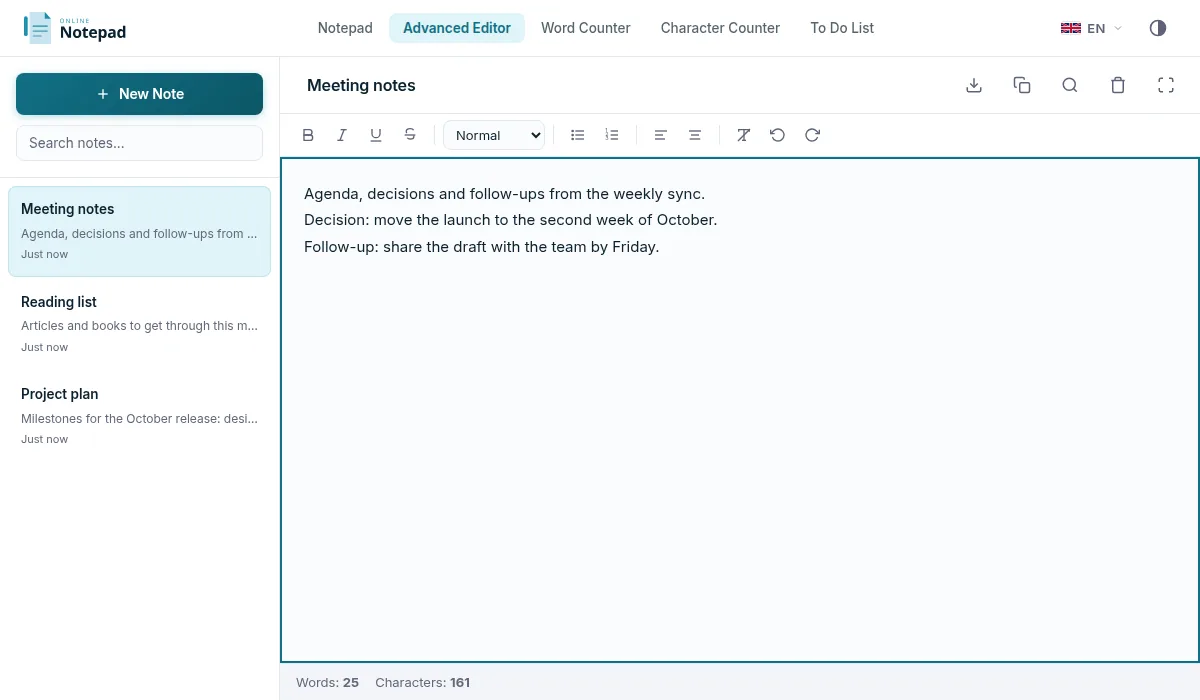
Rich text formatting, multiple notes with a sidebar, note titles, full-text search, and Markdown (.md) export. Ideal for longer writing.
Free with No Limits
No device caps, no note caps, and no account. Write as much as you like without hitting a paywall.
Private by Design
All notes stay in your browser's local storage. Nothing is uploaded to a server, so no one, including us, can read them.
Frequently Asked Questions
Is OnlineNotepad.net a good free Evernote alternative?
Yes, if you want a free notepad with no device or note limits. OnlineNotepad.net needs no account and stores notes locally in your browser. It does not sync across devices or clip web pages, which are features Evernote provides.
Does OnlineNotepad.net have device or note limits?
No. There are no caps on the number of notes, and because notes are stored in your browser there are no device tiers. It is completely free with no sign-up.
Can I move my notes from Evernote?
There is no direct import, but you can copy text from an Evernote note and paste it into OnlineNotepad.net. Once pasted, it is saved automatically in your browser.
Does OnlineNotepad.net work offline?
Yes. Once the page has loaded, the notepad works completely offline in your browser. Your notes are saved locally, so you can keep writing without an internet connection.
Ready to Switch?
No limits. No account. No installation. Just open and start typing.
Try Our Free Online Notepad