Online Text Editor: Write and Edit Text in Your Browser
This free online text editor lets you write, edit, and save text directly in your browser. There is no sign-up, no install, and no cloud. Open a tab, start typing, and your text is saved automatically to your device, ready the moment you return.
A Text Editor That Stays Out of Your Way
Everything you expect from a desktop editor, running in a browser tab with nothing to set up.
Clean Writing Surface
A distraction-free editor with optional fullscreen mode. Just text and a cursor, so nothing competes for your attention.
Autosave as You Type
Every keystroke is saved to your browser automatically. There is no save button to remember and nothing to lose if you close the tab.
Find & Replace
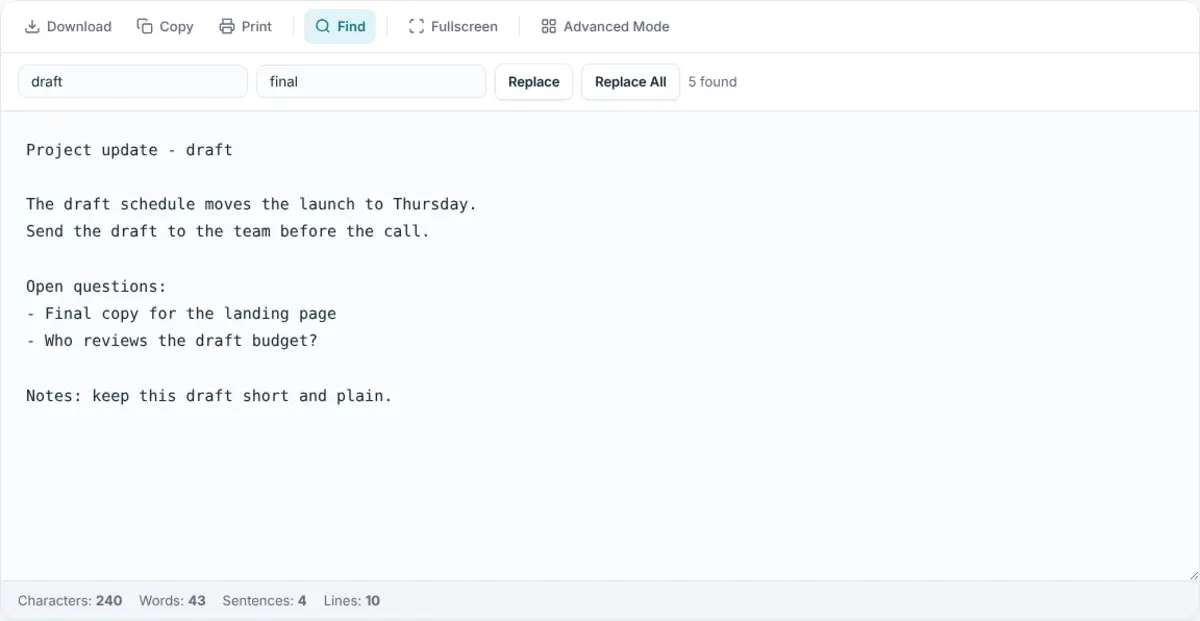
Search your text and swap words or phrases across the whole document in a single click, just like a desktop editor.
Live Text Stats
Real-time word, character, sentence, and line counts let you keep an eye on length while you edit.
Download & Export
Save your work as a plain text (.txt) file, or export rich text as Markdown (.md) from the advanced editor.
Private by Default
Text lives only in your browser's local storage. Nothing is uploaded, nothing is shared, and there is no account to be breached.
Free to Use, Online or Offline
This text editor is free for everyone, with no trial, no premium tier, and no sign-up. You never hand over an email address or create a password, so there is no account to manage and nothing for a data breach to expose. Open the page and you are already writing.
Open the editor once and it keeps working even when your connection does not. A service worker caches the notepad on first load, so you can draft on a plane, on a train, or anywhere the signal drops, and your text is still saved to your device as you type. Autosave runs on every keystroke, which means there is no save button to remember and nothing to lose if the tab closes.
When plain text is not enough, the advanced editor adds basic formatting: headings, bold, italics, lists, and links, alongside multiple documents. Stay in clean plain-text mode for quick notes, or switch to rich text for something more structured, all in the same private, browser-based workspace.
Why Use an Online Text Editor?
An online text editor goes wherever a browser goes. There is no software to install, no licence to manage, and no version to keep updated. On a work laptop, a home tablet, or a borrowed computer, the same editor is one bookmark away and opens in a second.
It also removes the friction that desktop apps add. There is no file to create before you can write and no folder to choose. You open a tab, type, and the text is already saved. When you need to clean something up, find & replace and live word counts work exactly as you would expect from a native editor. Because everything stays in your browser, your text is private without any extra setup: no account that can be compromised, and no provider with access to what you write.
For quick, plain-text editing, the simple online notepad is the fastest way in, and it works just as well as a browser notepad online for jotting something down. When you want headings, bold, lists, and multiple documents side by side, the advanced editor turns the same private, local-only approach into a full notebook online where you can keep many notes online at once. Both are part of the same free online notepad, with no account and nothing to install.
Frequently Asked Questions
Is this online text editor really free?
Yes. The online text editor is completely free with no account, no trial, and no paywall. Ads keep the site running, but every feature, including autosave, rich text, and download, is available to everyone at no cost.
Do I need to install anything to edit text online?
No. The editor runs entirely in your browser. There is nothing to download or install, and no extension to add. Open the page in any modern browser on desktop or mobile and start editing text straight away.
Where is my text saved?
Your text is saved in your browser's local storage on the device you are using. It is never uploaded to a server, so your writing stays private. Returning to the same browser brings your text back exactly where you left it.
Can I edit both plain text and rich text?
Yes. The simple notepad is a plain-text editor for clean, format-free writing, while the advanced editor adds rich text formatting like headings, bold, lists, and links. You can pick whichever mode fits the task.
Start Editing Text Online
Open a tab, write what you need, come back to it tomorrow. No account, no install, no cloud.