Online Notepad Comparison: Best Alternatives Compared
Not every note-taking tool fits every workflow. This online notepad comparison covers the best alternatives, including direct browser-notepad competitors such as onlinenotepad.org, anotepad.com, justnotepad.com, and note-pad.net, alongside larger note apps like Google Keep, Apple Notes, Notion, Evernote, OneNote, and Simplenote.
Online Notepad Alternatives: Feature Comparison
This table compares the core features of popular note-taking tools. OnlineNotepad.net is designed for users who want a fast, private, browser-based notepad with no setup.
| Feature | OnlineNotepad.net | Google Keep | Apple Notes | Notion | Evernote | OneNote | Simplenote |
|---|---|---|---|---|---|---|---|
| Price | Free | Free | Free | Freemium | Freemium | Free | Free |
| No account required | ✓ | ✗ | ✗ | ✗ | ✗ | ✗ | ✗ |
| Works offline | Yes, once loaded | App only | App only | Paid plans only | App only | App only | App only |
| Browser-based (no install) | ✓ | ✓ | ✗ (Apple devices only) | ✓ | ✓ | ✓ | ✓ |
| Data storage | Browser only (local) | Google Cloud | iCloud | Notion Cloud | Evernote Cloud | OneDrive | Simplenote Cloud |
| Autosave | ✓ | ✓ | ✓ | ✓ | ✓ | ✓ | ✓ |
| Dark mode | ✓ | ✓ | ✓ | ✓ | ✓ | ✓ | ✓ |
| Rich text editing | ✓ (Advanced Editor) | Limited | ✓ | ✓ | ✓ | ✓ | Markdown only |
| Multiple notes | ✓ (Advanced Editor) | ✓ | ✓ | ✓ | ✓ | ✓ | ✓ |
| Find & replace | ✓ | Search only | Search only | ✓ | ✓ | ✓ | Search only |
| Word & character count | Real-time | ✗ | ✗ | ✓ | ✓ | ✗ | ✓ |
| File export | .txt and .md | Google Takeout | PDF, Markdown, CSV | HTML, PDF | PDF, .one | .txt |
Direct Online Notepad Alternatives Compared
Several sites offer a similar lightweight, browser-based notepad experience. Here is a side-by-side comparison of the most common direct alternatives to OnlineNotepad.net, focused on the four points that matter most for a quick notepad: the features it offers, how it handles privacy, whether it works offline, and whether you have to sign up.
| Notepad | Features | Privacy approach | Offline support | Sign-up |
|---|---|---|---|---|
| OnlineNotepad.net | Simple plain-text notepad plus a separate Advanced Editor with multiple notes, rich text, find & replace, word and character counts, dark mode, fullscreen, .txt and .md export. | Notes are stored only in your browser's local storage. Nothing is uploaded to any server. | Yes. The notepad and Advanced Editor work offline after their first load thanks to a service worker. | Not required. |
| onlinenotepad.org | Single plain-text notepad with autosave and basic browser print and download. | Notes are saved in browser storage rather than uploaded. | Available once the page has been cached by the browser. | Not required. |
| anotepad.com | Plain-text and rich-text notes that can be shared via URL or protected with a PIN. Optional account for managing notes. | Notes are stored on anotepad's servers so they can be shared and accessed from other devices. | Limited. The editor depends on the server for save and load. | Optional. You can create notes as a guest or sign up to manage them. |
| justnotepad.com | Single minimalist plain-text notepad with autosave and basic counts. | Notes are kept in browser storage, not on a server. | Available once the page has loaded. | Not required. |
| note-pad.net | Single browser notepad focused on quick plain-text capture. | Notes are kept in browser storage, not on a server. | Available once the page has loaded. | Not required. |
| EditPad.org | Online text editor with autosave and basic formatting, presented alongside other tools and ads on the page. | Cloud-based storage rather than local-only. | Limited. | Not required. |
OnlineNotepad.net vs onlinenotepad.org
Despite the similar name, OnlineNotepad.net and onlinenotepad.org are two separate sites. Both are free browser notepads that save text locally without an account. OnlineNotepad.net adds a separate Advanced Editor with multiple notes, rich text formatting, find & replace, real-time word and character counts, dark mode, fullscreen, and Markdown (.md) export. If you only need a single scratchpad, either works. If you want a richer writing surface without leaving the browser, OnlineNotepad.net covers more ground.
OnlineNotepad.net vs anotepad.com
anotepad.com is built around server-stored notes that can be shared with a URL or protected by a PIN. That makes it useful when you want to send a note to someone else or pick it up on another device. The trade-off is that your content is uploaded to anotepad's servers. OnlineNotepad.net takes the opposite approach: notes stay in your browser's local storage and never reach a server, which is better for private drafts but means there is no built-in sharing or cross-device sync.
OnlineNotepad.net vs justnotepad.com
justnotepad.com is a minimal one-page notepad that autosaves to your browser. It is a good option if you want the absolute simplest experience. OnlineNotepad.net matches that simplicity with the basic notepad at /notepad/ and adds an Advanced Editor for users who eventually need multiple notes, rich text, search, or Markdown export, all under the same private, local-only storage model.
OnlineNotepad.net vs note-pad.net
note-pad.net is an unrelated browser notepad with a similar goal: open a page and start typing without an account. OnlineNotepad.net offers a comparable basic notepad and an additional Advanced Editor for longer or multi-note work. Both rely on browser storage, so neither sends your content to a server.
OnlineNotepad.net vs EditPad
EditPad.org is one of the most visited online text editors, but it surrounds the editor with other tools and ads and stores notes in the cloud rather than locally. OnlineNotepad.net keeps the writing surface clean and distraction-free, saves notes only in your browser, and works offline after the first load. See the full EditPad alternative comparison for a detailed breakdown.
Why Choose a Simple Browser-Based Notepad?
Full-featured note-taking apps like Notion, Evernote, and OneNote are powerful tools, but they come with complexity that not every task requires. Creating an account, installing an app, navigating folders and workspaces, and managing sync settings all add friction when you just need to write something down.
OnlineNotepad.net takes a different approach. Open the page, start typing, and your notes are saved automatically in your browser. There is no sign-up, no cloud sync to configure, and no data leaves your device. For quick notes, drafts, meeting agendas, or any text you need to capture fast, a lightweight browser notepad removes every barrier between you and your words. If you also need to track tasks alongside your notes, the built-in to do list covers that without a separate app.
Your notes are stored using your browser's local storage, which means they remain private by default. No one, including us, can read what you write. And because the notepad works offline after the first load, it is available wherever you are, with or without an internet connection.
How OnlineNotepad.net Compares to Each Alternative
Online Notepad vs Google Keep
Google Keep is a solid tool for short notes, checklists, and reminders, but it requires a Google account and stores all data on Google's servers. It lacks find and replace, word count, and full text export options. OnlineNotepad.net offers a more focused writing experience with real-time word counts, find and replace, and complete privacy since nothing is uploaded to any server.
Online Notepad vs Apple Notes
Apple Notes is tightly integrated with the Apple ecosystem but is not available on Windows, Linux, or Android. It requires an Apple ID and syncs through iCloud. If you need a notepad that works on any device with a browser, regardless of operating system, OnlineNotepad.net is a platform-independent alternative with no account required.
Online Notepad vs Notion
Notion is a feature-rich workspace designed for teams, project management, and databases. For users who only need to jot down text, Notion's interface can feel heavy. It requires an account, and its free plan has limitations. OnlineNotepad.net is purpose-built for writing: open it and start typing, with no learning curve and no feature bloat.
Online Notepad vs Evernote
Evernote was one of the first popular note-taking apps, but its free tier has become increasingly limited over the years, restricting the number of devices and notes. It requires an account and uploads all content to Evernote's servers. OnlineNotepad.net has no device limits, no note caps, and keeps everything stored locally in your browser.
Online Notepad vs OneNote
Microsoft OneNote is a capable notebook app included with Microsoft 365, but it requires a Microsoft account and syncs data through OneDrive. Its notebook-section-page structure is useful for organization but adds overhead for simple note-taking. OnlineNotepad.net provides a faster alternative when you need a clean space to write without managing notebooks or signing in.
Online Notepad vs Simplenote
Simplenote is a minimal note-taking app that supports Markdown and syncing across devices. However, it requires an account and stores data on Simplenote's servers. OnlineNotepad.net matches its simplicity while keeping your notes entirely local, with no registration step.
What You Get with OnlineNotepad.net
Simple Editor
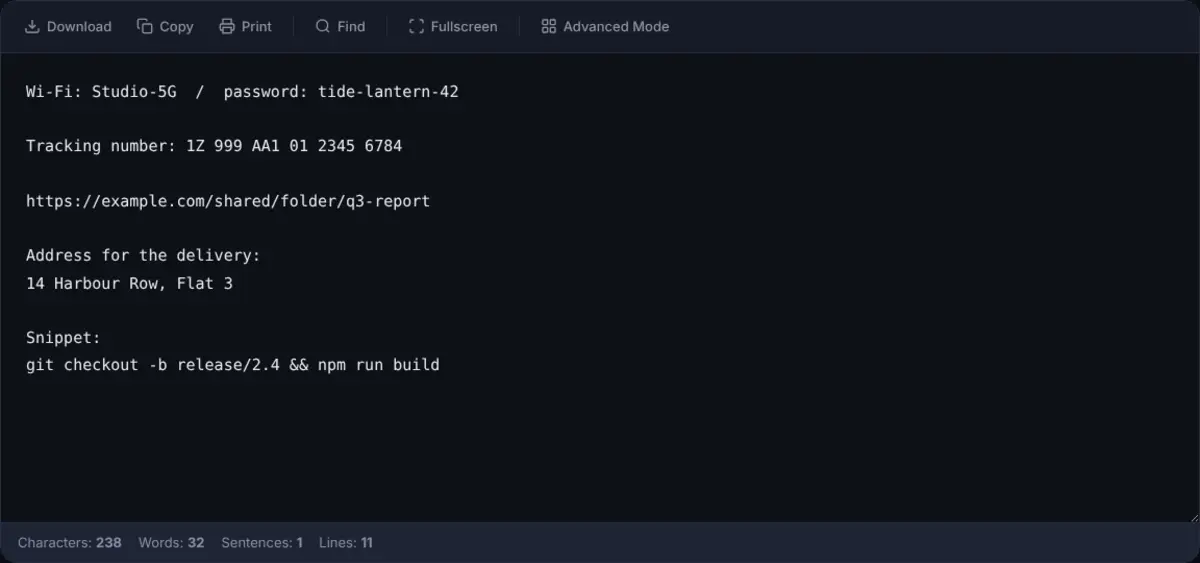
A clean plain-text notepad with autosave, a live word counter and character counter, find & replace, dark mode, fullscreen, and .txt download.
Advanced Editor
Rich text formatting, multiple notes with a sidebar, note titles, full-text search, and Markdown (.md) export. Ideal for longer writing.
To Do List
A browser-based task manager with multiple lists, due dates, and reminders. No account required, and your tasks stay private on your device.
Private by Design
All notes stay in your browser. Nothing is sent to our servers. No account, no tracking, no data collection on your content.
Works Offline
Once loaded, the notepad works without an internet connection. Keep writing on a train, plane, or wherever your connection drops.
Frequently Asked Questions
What is the best online notepad alternative?
The best online notepad depends on your priorities. For a fast, browser-based notepad with no sign-up and local-only storage, OnlineNotepad.net is a strong choice. anotepad.com is suited for sharing notes by URL or PIN. Google Keep, Notion, and Evernote are better when you need cloud sync across multiple devices and an account is acceptable.
What is the difference between OnlineNotepad.net and onlinenotepad.org?
Both are free browser-based notepads with no account required. OnlineNotepad.net adds a separate Advanced Editor with multiple notes, rich text formatting, find and replace, real-time word counts, dark mode, fullscreen, and Markdown export. Notes on both sites are saved in the browser rather than sent to a server.
Is anotepad.com a good alternative to OnlineNotepad.net?
anotepad.com is a good alternative when you need to share a note by URL or password. It stores notes on its own servers, which enables sharing but means notes are not local-only. OnlineNotepad.net keeps every note in your browser's local storage, so nothing leaves your device.
How does justnotepad.com compare to OnlineNotepad.net?
justnotepad.com is a minimal browser notepad with autosave and no sign-up. OnlineNotepad.net offers the same simple notepad plus an Advanced Editor with multiple notes, rich text, find and replace, and Markdown export, while keeping the same local-only storage approach.
Is note-pad.net the same as OnlineNotepad.net?
No. note-pad.net is a separate browser-based notepad. The two sites are unrelated. OnlineNotepad.net is operated independently and provides a simple notepad, an Advanced Editor with multiple notes, dark mode, find and replace, and offline support after the first load.
Which online notepad works offline?
OnlineNotepad.net works offline once the page has loaded for the first time, because notes are stored in the browser. Cloud-based notepads like Google Keep, Notion, and Evernote typically require an internet connection in the browser, with offline access available only in their dedicated apps. Simple notepads such as justnotepad.com and onlinenotepad.org also rely on browser storage and can work offline once cached.
Which online notepad is the most private?
A notepad is most private when notes never leave your device. OnlineNotepad.net stores notes in the browser's local storage and does not transmit them to any server. anotepad.com, Google Keep, Apple Notes, Notion, Evernote, OneNote, and Simplenote store notes on their own servers, which is necessary for sync and sharing but exposes content to the provider.
Which online notepad does not require sign-up?
OnlineNotepad.net, onlinenotepad.org, justnotepad.com, and note-pad.net let you start typing without creating an account. anotepad.com allows guest notes without an account but offers optional accounts for managing saved notes. Google Keep, Apple Notes, Notion, Evernote, OneNote, and Simplenote all require an account.
What is the best free online notepad?
It depends on your needs. If you want a fast, private notepad that works in any browser with no sign-up, OnlineNotepad.net is a strong choice. For team collaboration, tools like Notion or Google Keep may be more suitable. For Apple-only users, Apple Notes integrates well with the ecosystem.
Is OnlineNotepad.net a good Google Keep alternative?
Yes, if you value privacy and simplicity. Unlike Google Keep, OnlineNotepad.net does not require a Google account and stores all notes locally in your browser. It also includes features Google Keep lacks, such as find and replace and real-time word counts.
Can I use OnlineNotepad.net without creating an account?
Yes. No account, email, or sign-up is needed. Just open the site and start typing. Your notes are saved automatically in your browser's local storage.
Does OnlineNotepad.net work offline?
Yes. Once the page has loaded, the notepad works completely offline. Your notes are saved locally in your browser, so you can keep writing even without an internet connection.
Are my notes private on OnlineNotepad.net?
Yes. All notes are stored in your browser's local storage. Nothing is sent to any server. No one, including the site operators, can access your notes.
Try the Simplest Online Notepad
No sign-up. No installation. No cloud. Just open and start typing. Visit the OnlineNotepad.net homepage for an overview, or jump straight to a tool below.