Online Clipboard: A Free Paste Bin in Your Browser
This free online clipboard is a simple paste bin that lives in your browser. Paste any text, keep it for as long as you need, and copy it back out in a single click. Everything is saved automatically to your device, with no account and nothing uploaded to a server.
A Paste Bin That Remembers Your Text
Paste once and your text stays put, ready to copy back out whenever you return.
Paste & Copy Instantly
Drop in any text and copy it back out with one click. A clipboard that holds exactly what you paste, ready to reuse.
Autosaved Storage
Your pasted text is saved to the browser automatically. Close the tab, come back later, and it is still waiting for you.
Private, Not Public
Unlike public paste bins, your text is never published at a web address. It stays in your browser's local storage and nowhere else.
Download to Keep
Need a permanent copy? Download the contents as a plain text (.txt) file and store it wherever you like.
Works Offline
After the first load the page works without internet, so you can paste and copy text even when your connection drops.
Always Ready
No setup, no waiting. Bookmark the page and your scratch clipboard is one click away whenever you need to stash some text.
An Online Clipboard That Keeps Your Text Private
A regular system clipboard holds one thing at a time and forgets it the moment you copy something else. An online clipboard fixes that: paste text into the page and it stays there, saved to your browser, until you decide to change or clear it. It is the perfect spot to park a link, a code snippet, an address, or a paragraph you want to move between apps without losing it to your next copy.
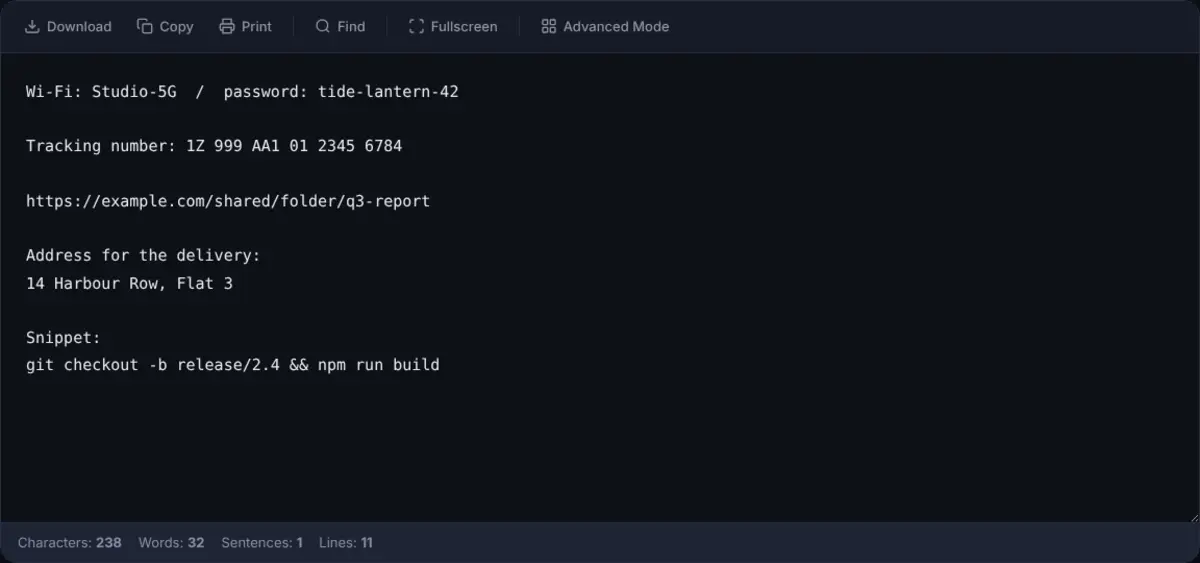
Most paste bin tools publish your text to a public web address so anyone with the link can read it. This online clipboard works the opposite way. Nothing leaves your device, nothing is uploaded, and nothing is published at a public address. Your text sits in your browser's local storage, private to you, and is gone if you clear it. That makes it a safe place to hold sensitive snippets like tokens, drafts, or notes you would never post to a public paste site.
Need to organise more than one snippet at a time? The advanced editor lets you keep multiple notes in a sidebar, while the simple notepad stays a single, fast scratch space. Either way, the same private, local-only approach keeps your pasted text yours.
Need to pass a snippet to someone? In the notepad, choose Share and the whole note goes inside the link itself, after the #, so nothing is uploaded and neither of you needs an account. Anyone with the link can read it, so send it only to people you trust. The steps are in how to share a note without an account.
Frequently Asked Questions
What is an online clipboard?
An online clipboard is a browser-based paste bin where you can paste text, keep it for later, and copy it back out whenever you need it. OnlineNotepad acts as a clipboard that saves your text to your browser, so it is still there the next time you open the page.
Is this paste bin private and secure?
Yes. Unlike many paste bin sites that publish text to a public URL, this online clipboard stores everything in your browser's local storage. Nothing is uploaded to a server and nothing is shared, so only you can see what you paste.
Can I use the online clipboard across devices?
The clipboard saves text to the browser you are using, so it is available again on the same device and browser. To move text to another device, download it as a .txt file, send it to yourself as a share link, or copy it and paste it on the other device.
Do I need an account to use the paste bin?
No. There is no sign-up, login, or email required. Open the page, paste your text, and it is saved automatically. Use the copy button to lift it back out whenever you need it.
Open Your Online Clipboard
Paste text, keep it safe, copy it back out. No account, no public links, no cloud.