Quick Notes Online: Capture a Thought in Seconds
A quick note online is a short note you type into a browser tab and keep, with no app, account or setup. Open a tab, start typing, and your note is saved instantly in your browser. It is the fastest way to jot a phone number, a reminder, or an idea before it slips away, ready to read again the next time you visit.
Built for Speed
Quick notes online should be ready before you have finished the thought. This one is.
Instant Open
No loading screens, no menus. The page opens straight to a blank note, so you can start typing the moment it loads.
Saves Instantly
Every quick note is autosaved as you type. Close the tab the second you are done and nothing is lost.
Private by Default
Quick notes stay in your browser's local storage. Nothing is uploaded, nothing is shared, and no account exists to leak.
Dark Mode
A comfortable dark theme for late-night thoughts, with light and auto modes that follow your system.
Download When Needed
Turn a quick note into a keeper by downloading it as a plain text (.txt) file in one click.
Works Offline
Once loaded, the notepad works without internet, so you can capture quick notes on a plane or anywhere offline.
Why Take Quick Notes Online?
Some notes only need to exist for a few minutes: a confirmation code read aloud on a call, a wifi password, a one-line idea you want out of your head. Opening a desktop app or a heavy notes platform for that is overkill. Quick notes online skip all of it. There is no file to create, no folder to choose, and no account to log into. You open a tab, type, and the note is already saved.
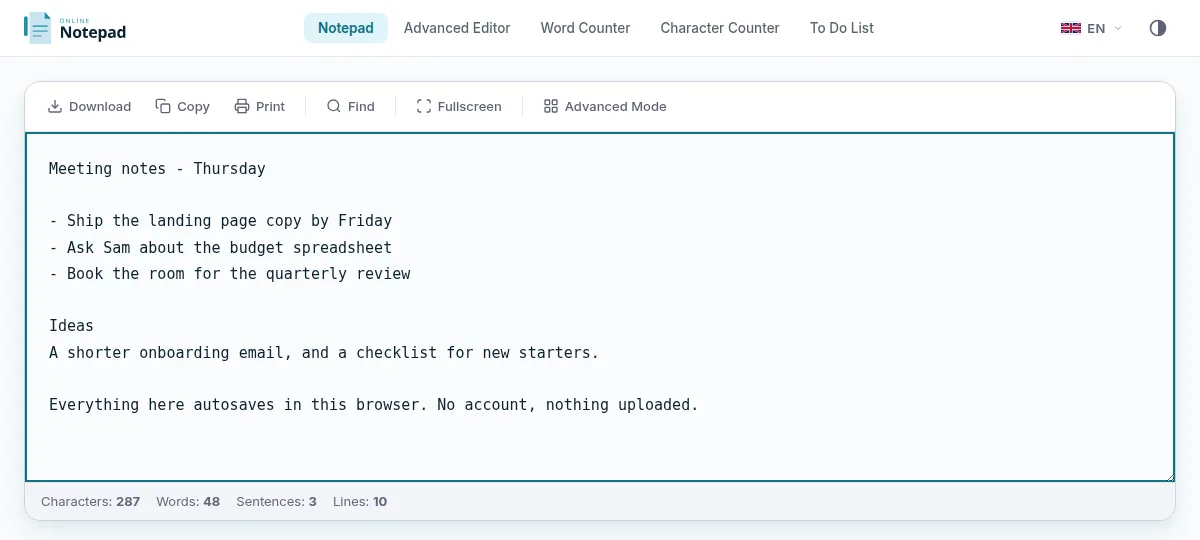
Because everything stays in your browser, a quick note is private without any setup. Nothing is uploaded, so there is no account that could be compromised and no provider with access to what you wrote. Bookmark the page and your scratch pad is one click away on any device, ready in the time it takes a heavier app to load its splash screen.
When a quick note grows into something you want to keep, you have options. Download it as a text file, or move up to the advanced editor to keep multiple notes online with titles and search. For a single, no-friction scratch space, the simple notepad is always there.
Frequently Asked Questions
How do I take quick notes online?
Open the notepad in any browser and start typing. There is no sign-up and no setup. Your quick note is saved automatically as you write, so you can capture a thought in seconds and close the tab without losing it.
Are my quick notes saved automatically?
Yes. Every quick note is autosaved to your browser's local storage as you type. There is no save button to remember, and your note will be waiting when you reopen the page in the same browser.
Do quick notes online cost anything?
No. Taking quick notes online is completely free with no account, trial, or paywall. Every feature, including autosave, dark mode, and download, is available to everyone at no cost.
Can I keep more than one quick note?
The simple notepad gives you one fast scratch space for a single quick note. If you want several notes side by side with titles and search, the advanced editor lets you keep as many quick notes as you like in a sidebar.
Start Taking Quick Notes Online
Open a tab, jot it down, come back whenever you like. No account, no install, no cloud.