Looking for a Better Alternative to EditPad?
OnlineNotepad.net is a free, fast, private browser notepad with no account required. It saves your work as you type, so you never lose a word.
Why Switch to OnlineNotepad.net?
EditPad is one of the most visited online text editors, but many users report issues with reliability, a cluttered interface, and concerns about where their data goes. If you've experienced crashes mid-draft, lost work, or simply want a cleaner writing experience, OnlineNotepad.net was built to solve exactly that.
Your notes are saved automatically as you type and stored only in your browser. Nothing is sent to a server, there's no account to create, and the editor loads instantly. It's the simplest, most private way to write online.
OnlineNotepad.net vs EditPad: Feature Comparison
| Feature | OnlineNotepad.net | EditPad.org |
|---|---|---|
| Privacy | Notes stored locally in your browser only | Cloud-based storage |
| Sign-up required | No | No |
| Autosave | Yes, automatic and instant | Yes |
| Download notes | .txt and .md export | Limited |
| Offline support | Yes, works without internet once loaded | No |
| Dark mode | Yes | No |
| Clutter-free interface | Clean, minimal design | Multiple tools and ads on page |
| Find & replace | Yes | Yes |
| Word & character count | Real-time (words, characters, sentences, lines) | Yes |
Common Reasons Users Look for an EditPad Alternative
Based on publicly available user feedback, some of the most common reasons people search for an alternative include:
- Performance issues: reports of the editor freezing or becoming unresponsive during longer writing sessions
- Lost work: notes disappearing unexpectedly, especially when the page reloads
- Cluttered interface: multiple tools, banners, and ads that distract from writing
- Privacy concerns: unclear where data is stored and who has access to it
OnlineNotepad.net addresses each of these: notes are saved instantly to your browser's local storage (not a remote server), the editor is minimal and distraction-free, and the app works even when you lose your internet connection.
What You Get with OnlineNotepad.net
Simple Editor
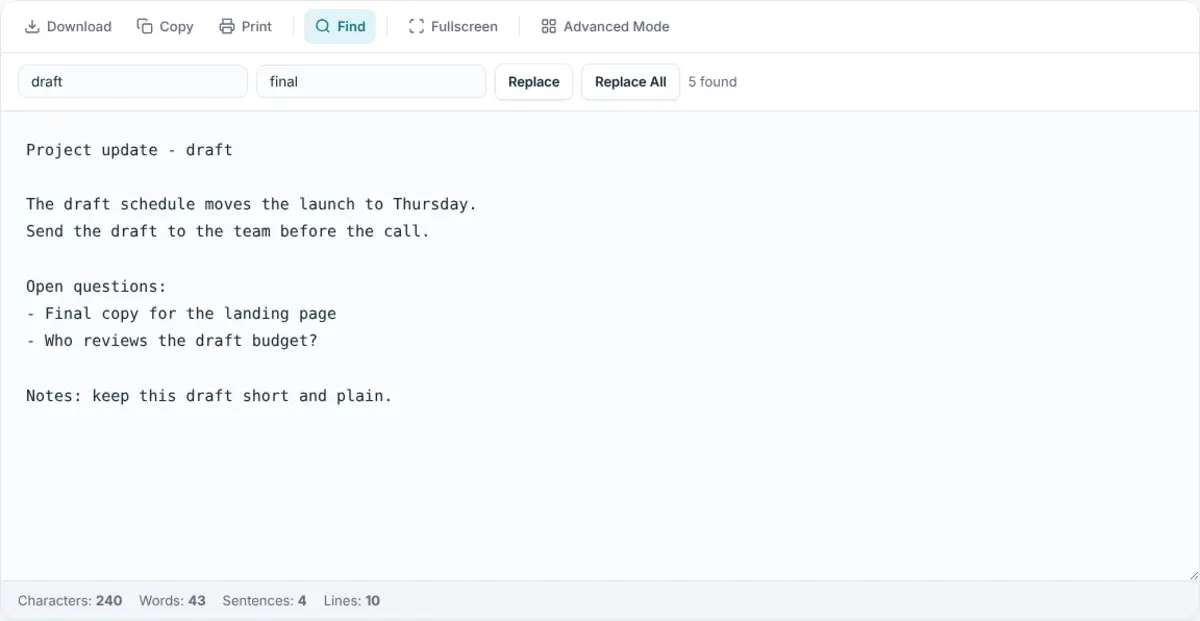
A clean plain-text notepad with autosave, live word and character counts, find & replace, dark mode, fullscreen, and .txt download.
Advanced Editor
Rich text formatting, multiple notes with a sidebar, note titles, full-text search, and Markdown (.md) export. Ideal for longer writing.
Private by Design
All notes stay in your browser. Nothing is sent to our servers. No account, no tracking, no data collection on your content.
Works Offline
Once loaded, the notepad works without an internet connection. Keep writing on a train, plane, or wherever your connection drops.
Frequently Asked Questions
Is OnlineNotepad.net really free?
Yes, completely free with no sign-up or account required. The site is supported by ads, so you never have to pay for any features.
Can I import my notes from EditPad?
There is no direct import, but you can copy and paste your text from EditPad into OnlineNotepad.net. Once pasted, your notes are saved automatically in your browser.
Does OnlineNotepad.net work offline?
Yes. Once the page has loaded, the notepad works completely offline. Your notes are saved locally in your browser, so you can keep writing even without an internet connection.
Ready to Switch?
No sign-up. No installation. Just open and start typing.
Try Our Free Online Notepad